How to Grow a Facebook Group to 1,000 Members: A Business Playbook
How to grow a Facebook group for your business: the setup, where the first 100 members come from, a weekly posting rhythm, membership questions that build a lead list, and a 12-week plan to 1,000.
 MaherPost Team November 13, 2026 13 min read
Key takeaways
- Set the group up before inviting anyone: a searchable name, private and visible, clear rules, three membership questions and five starter posts.
- Your first 100 members come from people who already know you: customers, your email list and your Page. Not from strangers.
- Growth comes from activity. A weekly rhythm (welcome, teach, show, ask, open thread, one offer) keeps members posting without you.
- Membership questions turn every join request into a short interview and, with consent, an email list you own.
- From about week 7, growth compounds through member invites, outward posts in other groups and moderators who share the work.
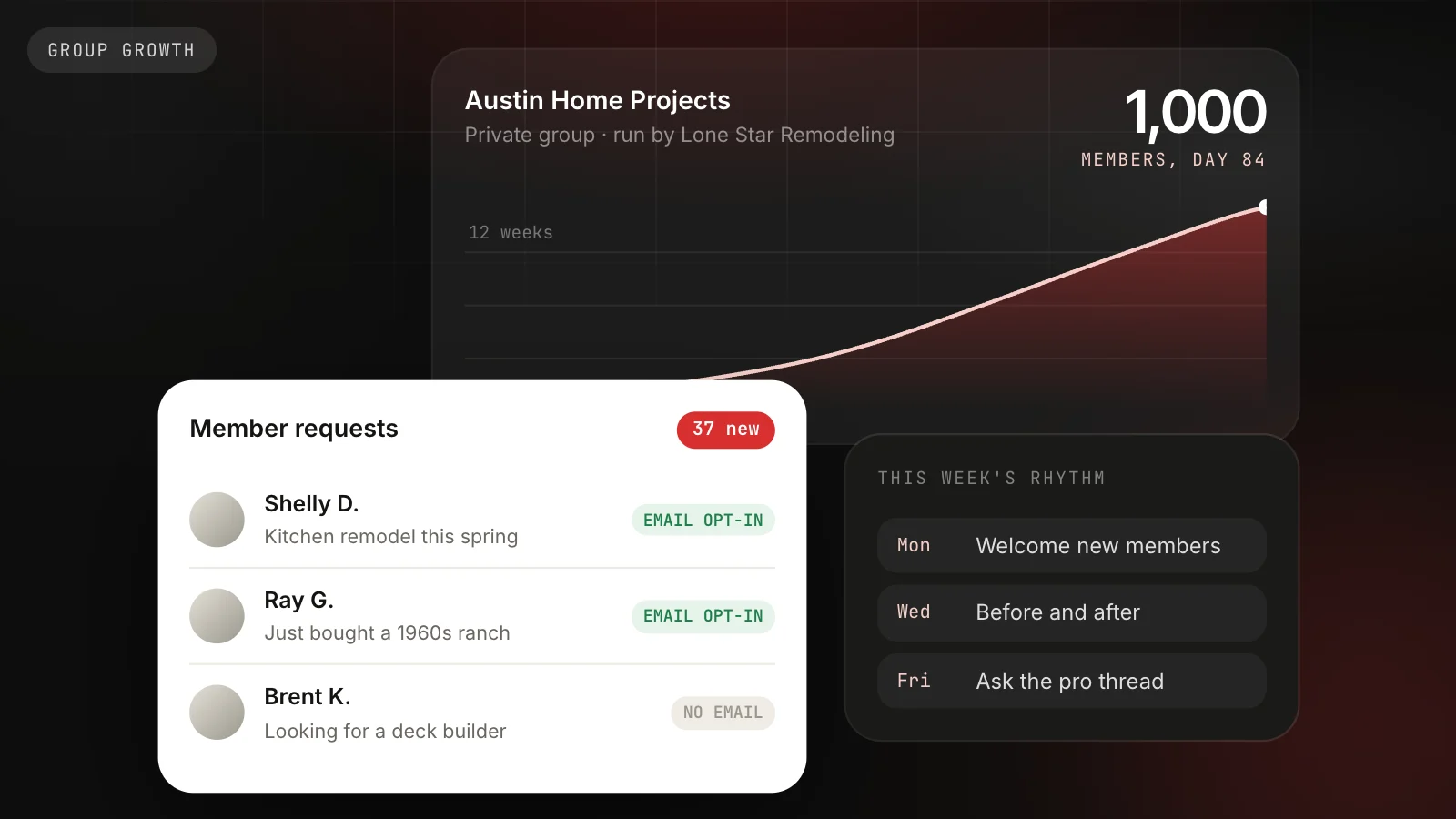
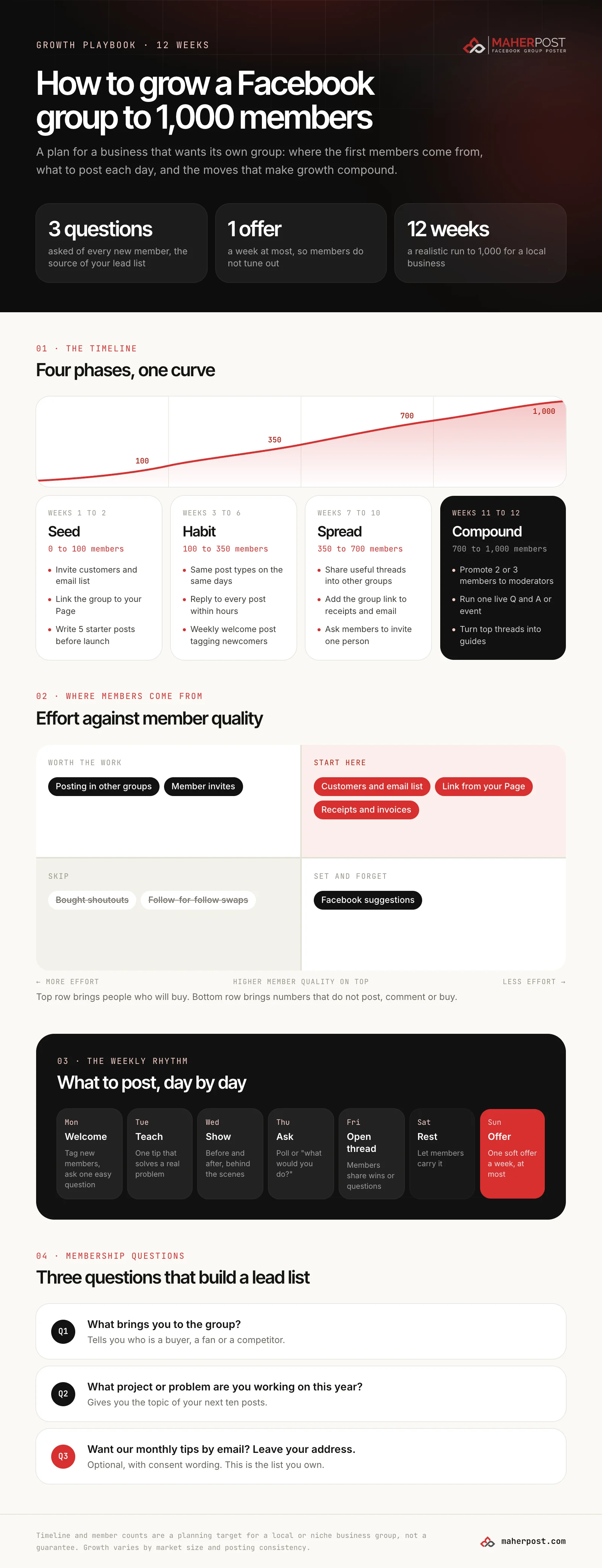
To grow a Facebook group, set it up properly before inviting anyone, seed it with people who already know you, post on a fixed weekly rhythm, and use membership questions to learn who each new member is. Growth comes from activity: when members post and comment, Facebook shows the group to their friends and suggests it to similar people. For a business with an existing customer base, 1,000 members in about 12 weeks is a realistic target.
This playbook is for a business that wants its own group, whether that is a contractor’s “home projects” group, a coach’s client community or a shop’s regulars group. It covers setup, the first 100 members, the weekly rhythm, the lead list, and what to do when growth stalls.
Before you invite anyone: set the group up
A group that looks half-finished turns away the first people you invite, and they are the ones who matter most. Spend an hour on this before sending a single invitation.
Pick a name people search for
Name the group after the topic, not after yourself. “Austin Home Projects” gets found in Facebook search and sounds like a place to ask questions. “Lone Star Remodeling Customers” sounds like a waiting room. If you want your brand in it, add it at the end: “Austin Home Projects, hosted by Lone Star Remodeling.”
Choose private and visible
Facebook groups are public or private, and private groups can be visible (anyone can find the group and ask to join) or hidden. For a business group, private and visible is the right default. People ask more honest questions when only members can read them, and the group still shows up in search.
Write the description for the person deciding to join
Three sentences: who the group is for, what they get, and what is not allowed. “For Austin homeowners planning a remodel, repair or garden project. Ask questions, share before and afters, and get straight answers from local trades. No sales posts outside the Friday thread.”
Add rules before you need them
Five to seven rules is enough. Each one needs a title people can scan and one line of reasoning. The Facebook group rules generator writes a full set for your group type in under a minute, formatted for the boxes Facebook gives you.
Set three membership questions
This is the most valuable setting in the group, and it gets its own section below.
Upload a cover that works on phones
Group covers are 1,640 by 856 pixels, and phones can crop the edges. Keep the group name and any text in the center. The cover photo size tool shows exactly how your image will crop before you upload it.
Write five posts before launch
Nobody wants to be the first person to speak in an empty room. Publish an introduction from you, a “start here” post explaining the group, two genuinely useful tips, and one easy question (“What project is on your list this year?”). Pin the “start here” post.
Your first 100 members
The first 100 members come from people who already know you. Strangers do not join empty groups.
- Customers. Invite your best twenty customers personally, with a message, not a bulk invite. Tell them why you thought of them.
- Your email list. Send one email that explains what the group is for and links straight to it.
- Your Facebook Page. Link the group to your Page so it shows on the Page and Page visitors can join. Pin a Page post about it.
- Receipts, invoices and follow-up emails. One line and a short link. This keeps working after launch with no extra effort.
- Your team. Staff who join and answer questions make the group feel alive from day one.
What not to do: buy shoutouts, join follow-for-follow swap groups, or bulk invite your whole friends list. These produce member counts that never post, comment or buy, and a group full of silent members is shown less, not more.
The weekly rhythm that keeps members posting
The single biggest predictor of a growing group is that it is never quiet. A fixed weekly rhythm makes that sustainable, because you are filling known slots instead of inventing something new every morning.
| Day | Post type | Example for a home projects group |
|---|---|---|
| Monday | Welcome | Tag this week’s new members and ask them one easy question |
| Tuesday | Teach | ”Three signs your deck needs sealing before winter” |
| Wednesday | Show | Before and after photos from a member or a real job |
| Thursday | Ask | ”Tile or vinyl plank in a busy kitchen? What would you pick?” |
| Friday | Open thread | Members share wins, questions, or recommend a local pro |
| Saturday | Rest | Let members carry the group |
| Sunday | Offer | One soft offer a week, at most |
Two rules make the rhythm work:
- Reply to every post within a few hours for the first three months. A member who asks a question and gets an answer posts again. A member who gets silence does not.
- Keep offers to one a week. If your group feels like a sales channel, members mute it. The trust you build in the other six days is what makes the one offer work.
If you already plan posts in advance, schedule the rhythm a week ahead. Admins can schedule posts inside their own group with Facebook’s built-in scheduler, and MaherPost can schedule the same week into your group alongside posts for the other groups you belong to.
Membership questions that build a lead list
Facebook lets you ask up to three questions of everyone who requests to join. Most admins waste them on “Do you agree to the rules?” Use them to learn who is joining.
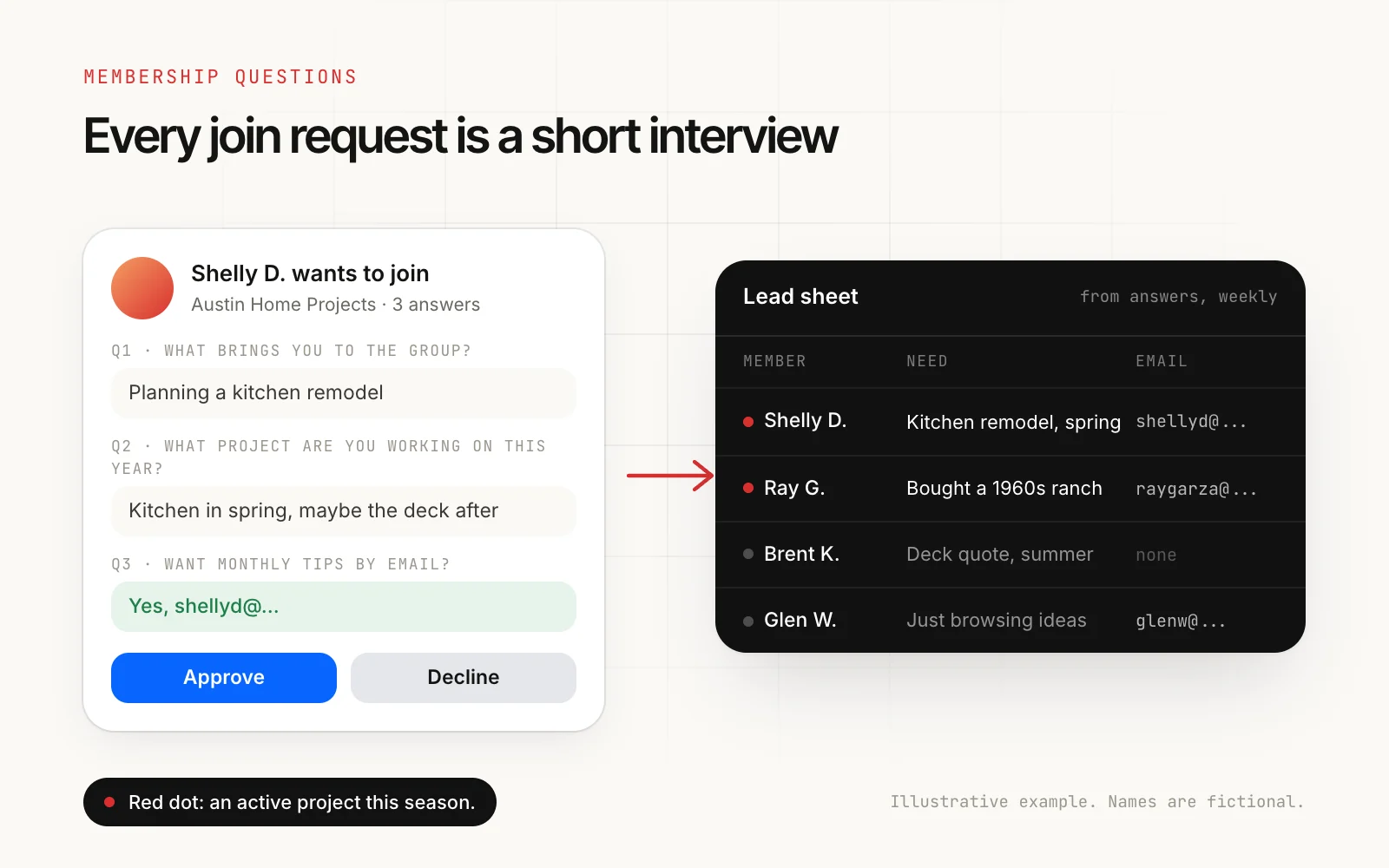
Question 1: What brings you to the group? Separates homeowners from other contractors, spammers and competitors. Decline the obvious spam.
Question 2: What project or problem are you working on this year? The most useful question you can ask. It tells you who is ready to buy and gives you the topic of your next ten posts.
Question 3: Would you like our monthly tips by email? If so, leave your address. Optional, with plain consent wording, and only use the address for what you said. This is the list you own if Facebook ever changes the rules.
Once a week, copy the answers into a simple sheet. Members with an active project this season are the people to help first, in the group, with useful answers. That is how a group turns into work without a single sales post.
Weeks 1 to 12: the plan
Weeks 1 to 2: Seed (0 to 100)
Invite customers, your email list and Page followers. Publish the five starter posts. Reply to everything. Ask early members what they want the group to cover.
Weeks 3 to 6: Habit (100 to 350)
Run the weekly rhythm without missing a day. Post a welcome every Monday that tags new members by name. Start featuring member posts in your Wednesday “show” slot, which encourages others to share.
Weeks 7 to 10: Spread (350 to 700)
Ask members to invite one person who would get value from the group. Add the group link to receipts and email signatures. Start posting genuinely useful content into the other groups you belong to, within their rules. When someone asks for more, point them to your group.
Weeks 11 to 12: Compound (700 to 1,000)
Promote two or three of your most helpful members to moderators. Run one live event, a Q and A or a short workshop. Turn the best threads into a pinned “guides” post that new members find on day one.
These numbers are a planning target, not a promise. A business with a large customer list will move faster. A brand new business with no audience should double the timeline and focus on posting in other groups first.
Promoting your group in other groups, without getting banned
The groups your customers already belong to are the best source of new members, and the easiest place to get removed. The difference is in how you do it.
- Read each group’s rules. Many ban links to other groups. Some allow them in a promo thread or on a promo day. Our guide to Facebook group rules for promotional posts covers the common patterns.
- Lead with value. A post that answers a real question in full earns the right to a one-line mention at the end.
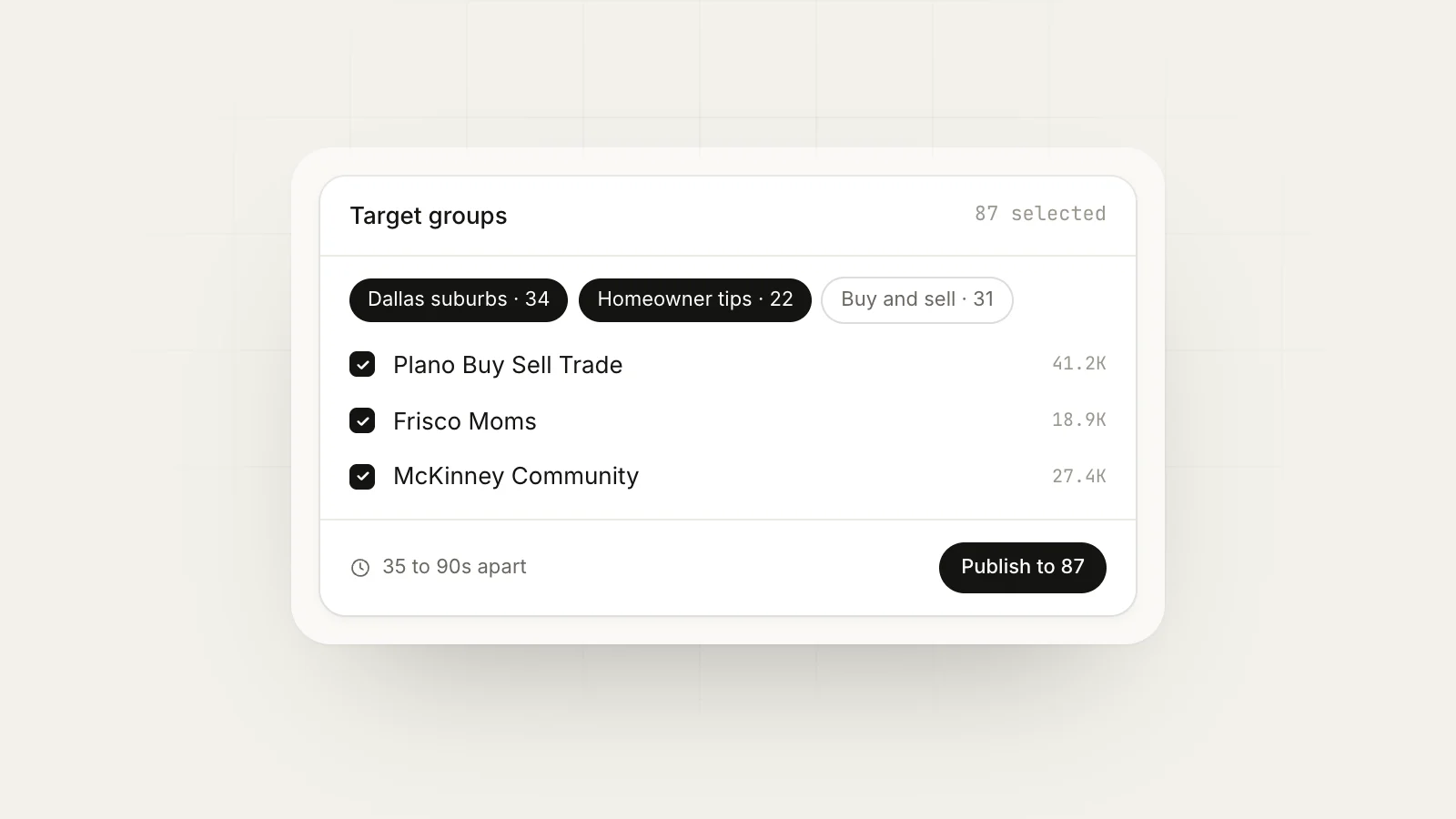
- Vary every version. The same text and link in fifteen groups looks like spam to members, admins and Facebook. Use spintax so each group gets its own wording.
- Space them out. Minutes between groups, not seconds, and fewer groups per day on newer accounts. See posting to multiple groups without a ban.
When growth stalls
Almost every group hits a flat patch around 200 to 400 members. Check these in order:
- Is it quiet? Count member posts (not yours) in the last week. Under five means the rhythm has slipped or the posts are not inviting replies. Ask more questions, teach less.
- Is it too salesy? Count your offers in the last two weeks. More than two, and members have learned to scroll past.
- Are join requests piling up? Approve requests daily. People who wait a week forget why they asked.
- Is the name findable? If nobody would search for it, rename it while the group is still small.
- Are you the only voice? Feature members, tag them, and hand out moderator roles. Groups that depend on one admin stop when that admin gets busy.
What to measure
Group insights, available to admins, show growth, engagement and membership over time. Three numbers matter more than the member count:
- Active members over the last 28 days, as a share of total members.
- Posts and comments by members, not by admins.
- Join requests per week, which tells you whether the group is being found.
A 600-member group where half the members are active is worth more than a 5,000-member group where nobody speaks.
The short version
- Set the group up first: name, privacy, rules, three questions, a cover, five posts.
- Seed it with people who know you.
- Post on a weekly rhythm and reply to everything.
- Use membership questions to learn who joined, and build a list with consent.
- Spread through member invites and helpful posts in other groups.
- Share the work with moderators before you burn out.
Running your own group and posting into the groups your customers already use go together well. MaherPost handles the second part from your own browser, with a different version of each post for every group and a log of what was approved.
Put this into practice.
MaherPost posts to every Facebook group you have joined, with spintax, safe pacing and a log of every delivery. $29 a month.
Written by the MaherPost Team
We build MaherPost and run group campaigns with it every week. These guides come from what we see working, and what gets accounts in trouble. Questions or corrections: support@maherpost.com.