


Free tool · No signup
Facebook Group Cover Photo Size (1640 x 856)
The Facebook group cover photo size is 1640 by 856 pixels, a 1.91:1 ratio. Keep text, faces and logos inside the centered 1200 by 630 pixel safe zone, since phones can crop the edges. Upload an image below to preview it and download a correctly sized copy.
Your image stays in your browser. Nothing is uploaded to our servers.
Desktop
Your group name
Private group · 1.2K members
Phone
Your group name
Private group · 1.2K members
Facebook group cover photo size at a glance
| Spec | Value |
|---|---|
| Recommended upload size | 1640 × 856 pixels |
| Aspect ratio | 1.91 : 1 |
| Safe zone (our recommendation) | 1200 × 630 pixels, centered |
| Edges that may crop | About 220 pixels on each side |
| Format | JPG for photos, PNG for text and logos |
| Who can change it | Group admins |
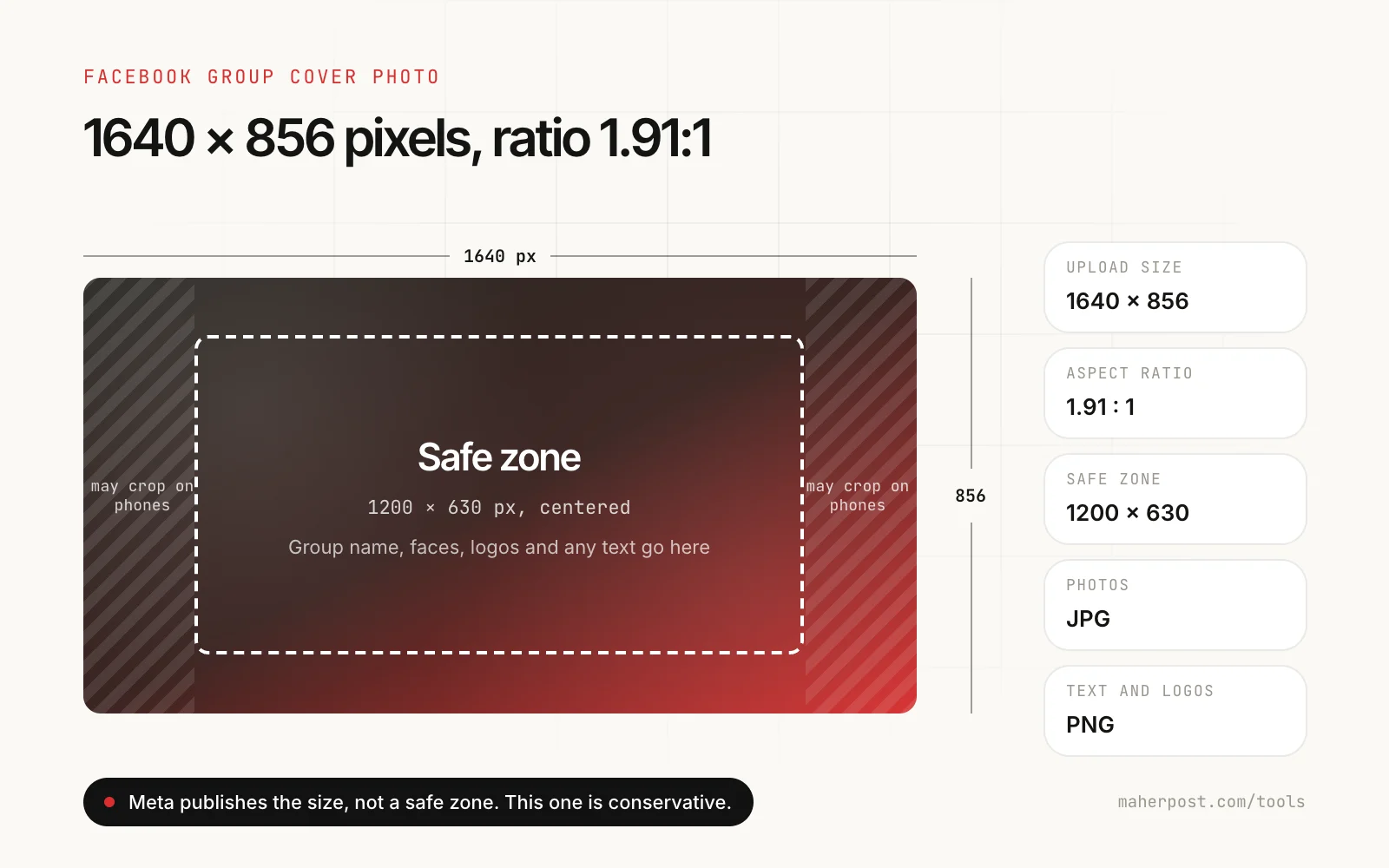
Meta recommends 1640 by 856 pixels for group covers but does not publish a safe zone, and the visible area shifts between the app, the mobile browser and desktop. The safe zone in this tool is deliberately conservative: if your text and faces sit inside it, they show everywhere we have tested. Design to the full canvas, place the important parts in the middle.
How to make a group cover that works on phones
Most members see your group on a phone, often for the first time from a link or a suggestion. The cover is the first thing they see, so it has one job: tell them in a second what the group is and who it is for.
- One idea, large. The group name or a five-word promise in big type. Paragraphs are unreadable at phone size.
- Center everything that matters. Keep text, faces and logos inside the safe zone. Use the edges for background.
- High contrast. White text on a busy photo disappears. Add a dark overlay or use a plain background behind text.
- Show the people or place. A local group does well with a recognizable landmark. A hobby group with the hobby. A client community with real members, with their permission.
- No small print. Rules, URLs and dates belong in the description and pinned posts, where people can read them.
Group cover vs Page cover vs event cover
Facebook uses different shapes in different places, and reusing one image across all of them is the most common reason covers look cropped.
| Where | Recommended size | Shape |
|---|---|---|
| Group cover | 1640 × 856 | 1.91 : 1 |
| Page cover | 851 × 315 or larger at the same ratio | About 2.7 : 1 |
| Event cover | 1920 × 1005 | About 1.91 : 1 |
| Link preview image | 1200 × 630 | 1.91 : 1 |
Group and event covers share a shape, so one design can serve both. Page covers are much wider and need their own version.
Uploading the cover
- Open your group on facebook.com or in the app.
- Click Edit on the cover photo (on mobile, tap the cover first).
- Choose Upload photo and pick the 1640 × 856 file you downloaded above.
- If Facebook lets you drag the image, check the position, then Save.
- Open the group on your phone to confirm nothing important is cut off.
A cover is the start. The group needs members.
A good cover helps people decide to join once they find the group. Getting found is the harder part. Our playbook on how to grow a Facebook group to 1,000 members covers the setup, the first 100 members and the weekly posting rhythm. If you are still deciding whether your business needs a group at all, read Facebook Group vs Page for business. And before you open the doors, write the rules with the free Facebook group rules generator.
FAQ
Questions people ask before they start
Something else? Email support@maherpost.com and a person replies within one business day.
What size is a Facebook group cover photo?
Upload Facebook group cover photos at 1640 by 856 pixels, an aspect ratio of 1.91:1. Keep text, faces and logos inside a centered area of about 1200 by 630 pixels, because phones and some screens can crop the edges.
Why is my Facebook group cover photo cropped?
Either the image is not 1.91:1, so Facebook crops it to fit, or the edges are cut off on a phone screen. Resize the image to exactly 1640 by 856 pixels and keep important content inside the center safe zone. When you upload, Facebook also lets you drag the image to choose which part shows.
Is the Facebook group cover size the same as the Page cover size?
No. Facebook Page cover photos display at a different shape, commonly recommended at 851 by 315 pixels or larger at the same ratio. Group covers are taller, at 1640 by 856. A Page cover uploaded to a group will be cropped heavily.
Should I use JPG or PNG for a group cover?
Use JPG for photos, which keeps the file small. Use PNG when the cover has a logo, text or flat colors, because PNG keeps edges sharp and avoids compression smudges around letters.
How do I change a Facebook group cover photo?
Open the group, then tap or click Edit on the cover photo. Choose Upload photo, select your 1640 by 856 image, drag it into position if needed, and save. Only admins can change the cover.
Is my image uploaded when I use this tool?
No. The preview, the checks and the resized download all happen in your browser. Nothing is sent to MaherPost or stored anywhere.
Ready when you are
When you are ready to run it on autopilot.
MaherPost schedules spintax posts to every group you have joined, with pacing and a delivery log. $29 a month.