Why Can't I Post in a Facebook Group? Every Cause and the Fix
Can't post in a Facebook group? A 60-second diagnosis of every cause, from admin-only posting and pending membership to account restrictions, blocked links, slow mode and declined posts, with the fix for each.
 MaherPost Team November 13, 2026 10 min read
Key takeaways
- Every cause falls into one of three buckets: the group's settings, your account, or the post itself. Each bucket has a different fix.
- No Write something box at all means the group is not letting you post: membership pending, admin-only posting, a suspension or removal.
- An error when you tap Post usually means an account-level limit or a blocked link. Check Account Status in your Facebook settings.
- A post that seems to vanish is usually pending, declined or removed. The group's Your content area shows which.
- Most repeat problems come from posting the same text to many groups quickly. Vary the copy and space posts out.
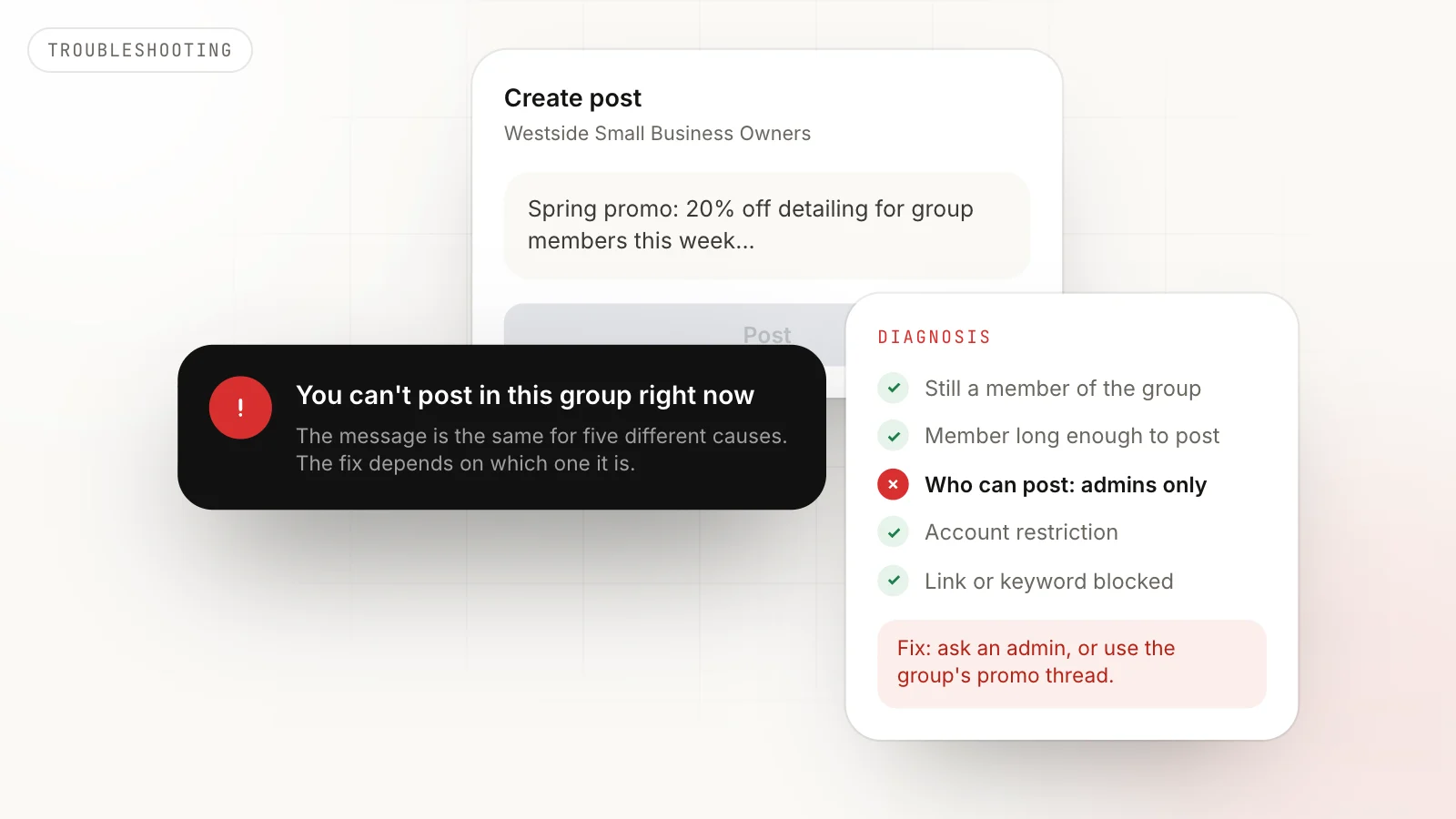
If you can’t post in a Facebook group, the cause is almost always one of three things: the group’s settings (membership pending, admin-only posting, a suspension), your account (a temporary restriction or a blocked link), or the post itself (it went to admin approval, or was declined or removed). Each has a different fix. The fastest way to find yours is three questions, in order: Can you see the Write something box? Does an error appear when you tap Post? Did the post go through and then vanish?
This guide walks through each question, every cause behind it, and what to do. If you post to groups for your business, the last section covers how to stop it happening again.
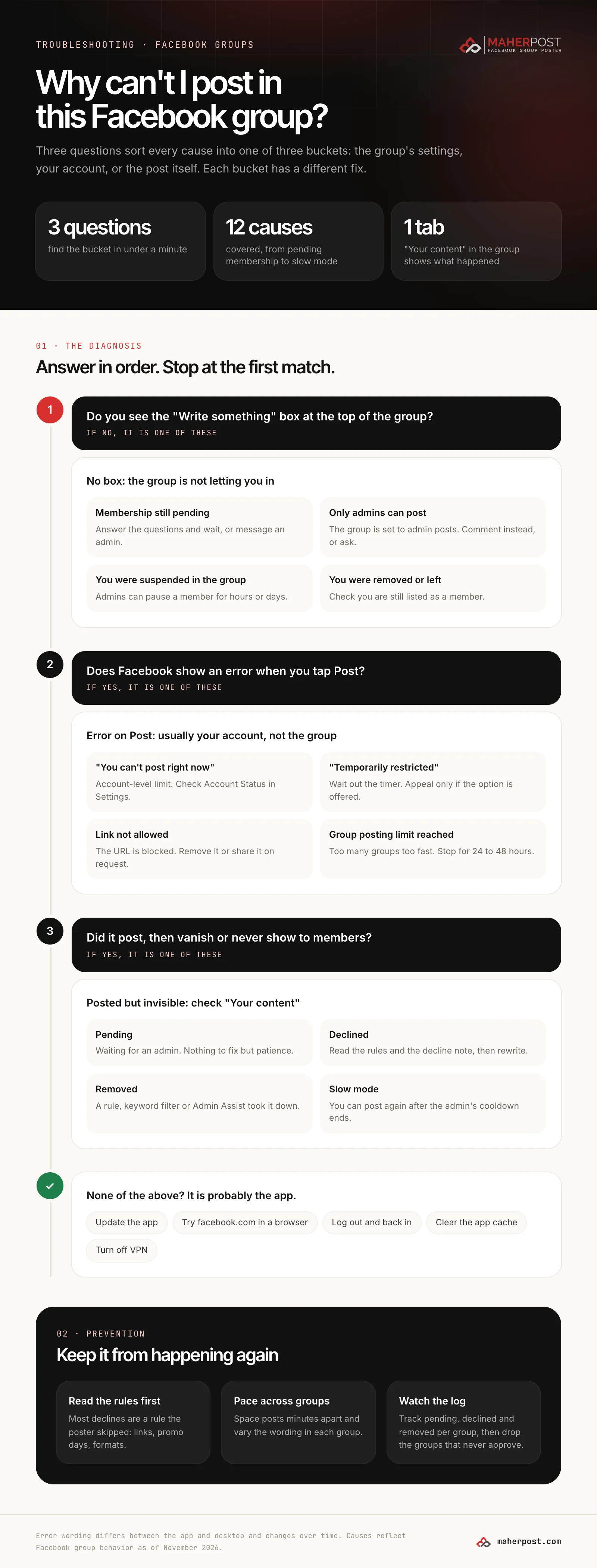
Question 1: Can you see the Write something box?
Open the group itself, not your feed. At the top there should be a box that says Write something (or Create a post). If it is not there, the group is not letting you post, and there are four reasons.
Your membership is still pending
Many groups approve members by hand, and some take days. Until you are approved, you can see a public group’s posts but not write one. Check for a Pending or Cancel request label next to the Join button.
Fix: answer the membership questions fully (half-answered requests are often declined), then wait. If it has been more than a week, message an admin politely.
Only admins can post
Some groups are announcement channels where only admins and moderators post. Members can comment and react.
Fix: comment on admin posts instead, or ask an admin whether they run a member thread you can post in. You cannot change this setting.
Admins suspended you in that group
Admins can stop a member from posting and commenting for a set time, from hours to weeks, usually after a rule break. You will normally see a notice in the group with the end time.
Fix: wait it out, reread the rules, and do not try to get around it with a second account. Group suspensions only apply to that group, not your Facebook account.
You were removed, or left
If the group shows a Join button again or has vanished from your groups list, you are no longer a member.
Fix: request to join again if the group allows it. If you were removed for a rule break, a new request is usually declined.
Question 2: Does an error appear when you tap Post?
If you can write the post but Facebook refuses it with a message, the cause is usually your account or the content, not the group.
| Message (wording varies) | What it usually means | What to do |
|---|---|---|
| ”You can’t post right now” | A temporary account-level limit | Check Settings, then Account Status. Wait it out. |
| ”You’re temporarily restricted from posting in groups” | A posting restriction with a timer | Stop posting in groups until it ends. Appeal only if offered. |
| ”Your message couldn’t be sent because it includes content that other people on Facebook have reported as abusive” | The link or domain is blocked | Remove the link. Share it in comments only if the rules allow. |
| ”You’ve reached your limit for posting in groups” or similar | Too many group posts in a short time | Stop for 24 to 48 hours, then post less, more slowly. |
| ”Something went wrong” | Usually the app, sometimes a hidden limit | Try facebook.com in a browser before anything else. |
Account restrictions
Facebook places temporary limits on accounts that post or comment too fast, post the same content in many places, or have content reported. They are commonly called “Facebook jail,” and they apply across every group, not just one.
Fix: open Settings, then Account Status, which lists any restriction and when it ends. Do not keep trying to post: repeated attempts while restricted can extend the restriction. Our guides on how long Facebook jail lasts and how to avoid Facebook jail cover what triggers it and how long each type lasts.
Blocked links
Facebook blocks some domains outright, usually because they have been reported as spam, scams or unsafe. Link shorteners and newly registered domains are blocked more often.
Fix: post without the link to confirm the link is the problem. If your own website is blocked, Facebook’s Sharing Debugger and the domain report process are the place to start. Never switch to a different shortener to get around the block, since that pattern is itself a spam signal.
Group posting limits
Posting to many groups in a short burst, especially with identical text, triggers group-specific limits faster than anything else. There is no published number. We cover the ranges we see in practice on the Facebook posting limits page.
Fix: stop for a day or two. When you resume, post to fewer groups, space them minutes apart, and give each group its own version of the text.
Question 3: Did it post, then vanish?
If Facebook accepted the post but members cannot see it, open the group and look for Your content (sometimes Manage your content or under the More menu). It shows every post you have made in that group, sorted into four states.
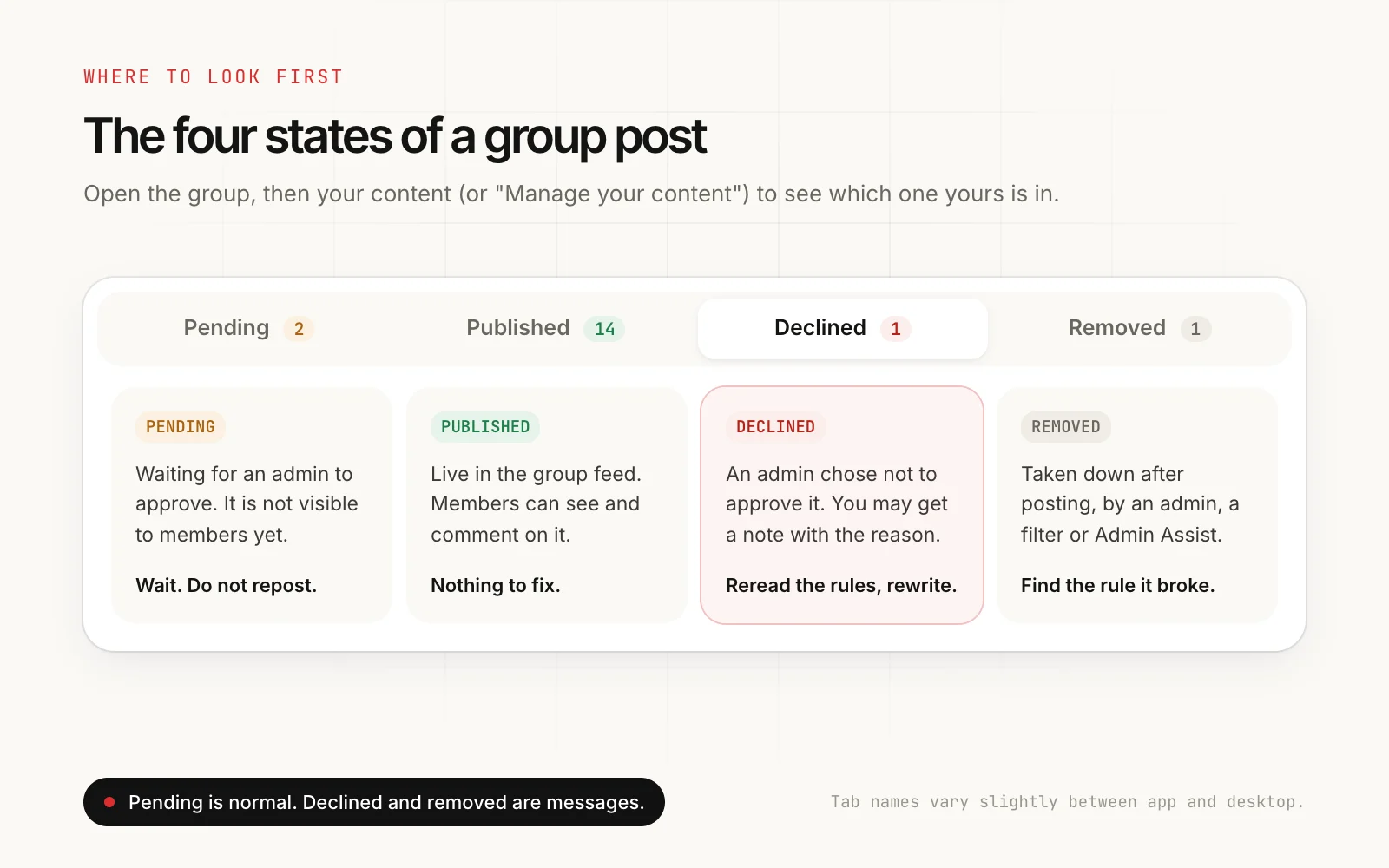
Pending
The group requires admin approval, either for every post, for new members, or for posts that match a keyword or link filter. Your post is waiting in a queue.
Fix: wait, and do not post it again, since duplicates look like spam to admins. Our guide to why a Facebook group post stays pending explains how long approval takes and why.
Declined
An admin chose not to approve it. Some groups send a note with the reason.
Fix: reread the rules, usually the ones about promotion, links and format. Rewrite the post to fit, or move it to the group’s promo thread or promo day. See how to avoid Facebook group post rejection for the most common reasons.
Removed
The post was published and then taken down by an admin, an automatic keyword filter, or Admin Assist, Facebook’s rule-based moderation tool for admins. Removed posts sometimes come with a rule citation.
Fix: find the rule it broke. If it was an automatic filter, a single word can trigger it. Rewrite without it, or ask an admin.
Slow mode
Admins can limit how often members post or comment, either across the group or on one busy thread. You will see a message telling you when you can post again.
Fix: wait for the cooldown. Slow mode is a setting for everyone, not a penalty on you.
Published, but nobody sees it
If Your content says Published but you are not getting any reactions, the post is live. Large groups move fast, and a post at 3 a.m. scrolls out of view before members wake up. Our best time to post in Facebook groups guide helps with timing.
None of the above? It is probably the app
If the composer is there, no error appears, and nothing shows under Your content, the app is the likely cause.
- Update the Facebook app.
- Try the same post on facebook.com in a browser.
- Log out and back in.
- Clear the app cache (Android) or reinstall (iPhone).
- Turn off any VPN, which can trigger security checks.
How to stop it happening again
If you post to groups for work, you will hit these problems more often than a casual member, because volume amplifies every risk. Three habits prevent most of them:
- Read the rules before the first post in any group. Most declines and removals are a rule the poster skipped: no links, promo on Fridays only, a required format.
- Pace your posts and vary the wording. Minutes between groups rather than seconds, and a different version of the post in each group. Identical text in many groups is the single biggest trigger for restrictions. Our guide to posting in multiple groups without a ban covers the details.
- Track what happens in each group. Keep a record of pending, declined and removed posts per group. Groups that never approve your posts are costing you risk for nothing, so drop them.
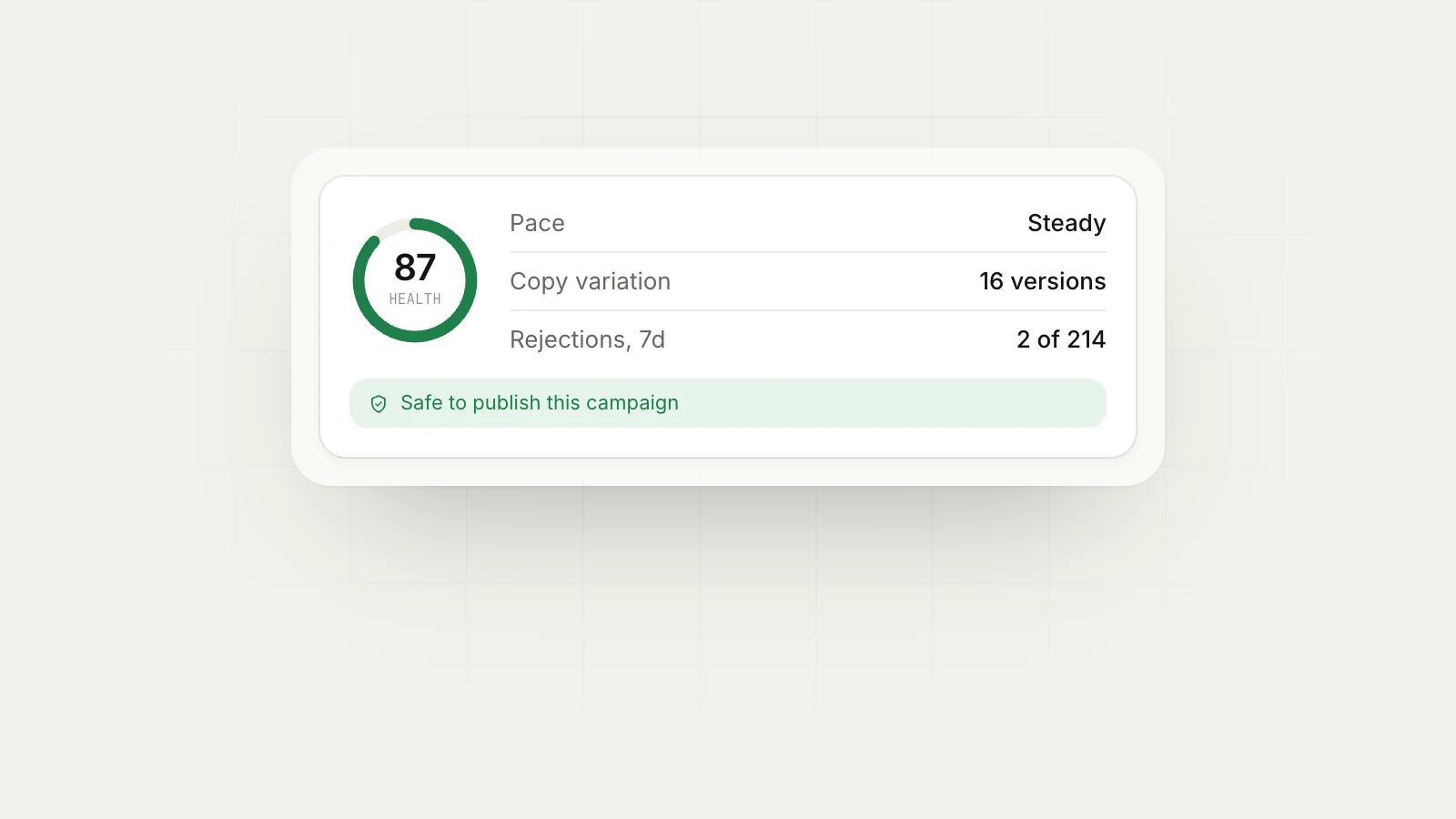
MaherPost does those three things automatically: spintax gives every group its own version, delays and daily caps pace the campaign, Account Health warns you before a risky run, and the delivery log records which groups published, held or declined each post. If you are not sure how risky your current habits are, the free ban risk check scores them in five questions.
Put this into practice.
MaherPost posts to every Facebook group you have joined, with spintax, safe pacing and a log of every delivery. $29 a month.
Written by the MaherPost Team
We build MaherPost and run group campaigns with it every week. These guides come from what we see working, and what gets accounts in trouble. Questions or corrections: support@maherpost.com.